> ## Documentation Index
> Fetch the complete documentation index at: https://docs.rownd.io/llms.txt
> Use this file to discover all available pages before exploring further.
# Domain allow-listing
> To prevent credential hijacking, Rownd recommends that customers set their list of allowed domains
Domain allow-listing is a security feature in Rownd that provides an additional layer of protection for your application. By specifying a list of approved domains, you can ensure that Rownd only authenticates users from the designated websites. This helps prevent unauthorized access attempts and keeps your user data secure. By using domain allow-listing in Rownd, you can take greater control over your app's security, giving you and your users peace of mind.
## Configuring the domain allow-list
1. Open your app in the [Rownd platform](https://app.rownd.io/applications). Select **Settings** from the left sidebar.
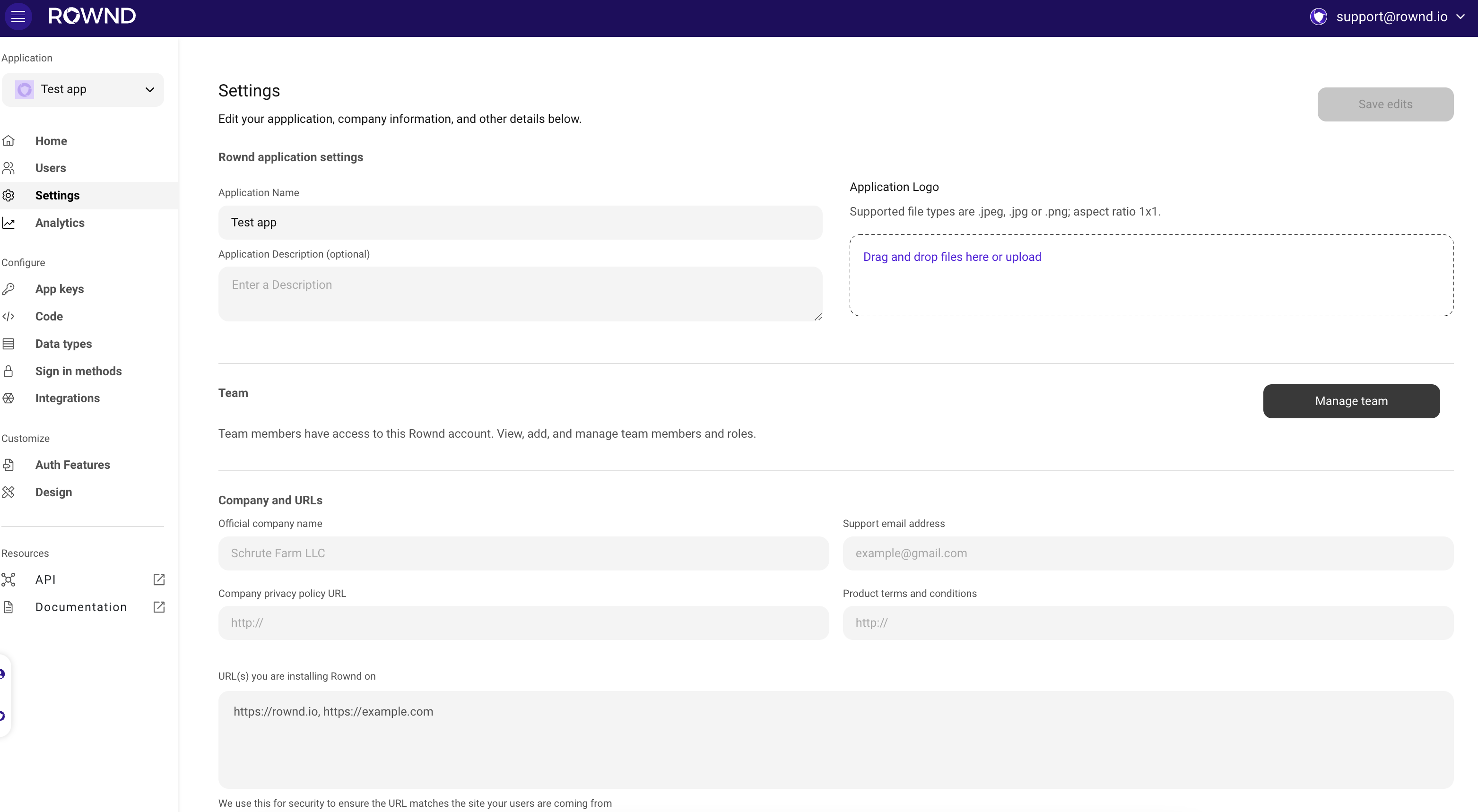 2. Locate the **URL(s) you are installing Rownd on** section
3. Enter the domains where you are installing Rownd with a "," between each. Please include any dev, test, and prod domains where Rownd may be installed.
Be sure to include all subdomians including `www` if applicable.
Althogh Rownd may load on non-allow-listed sites, users will not be able to authenticate.
## Finishing up
Once you have completed adding domains, press **Save Edits** to ensure your domain list is saved.
2. Locate the **URL(s) you are installing Rownd on** section
3. Enter the domains where you are installing Rownd with a "," between each. Please include any dev, test, and prod domains where Rownd may be installed.
Be sure to include all subdomians including `www` if applicable.
Althogh Rownd may load on non-allow-listed sites, users will not be able to authenticate.
## Finishing up
Once you have completed adding domains, press **Save Edits** to ensure your domain list is saved.